I Built a YouTube Thumbnail Auto-Generator
Hey everyone, it’s Cody.
Making thumbnails for every YouTube video was getting tedious, so I built a tool that automatically generates thumbnails from your videos.
What It Does
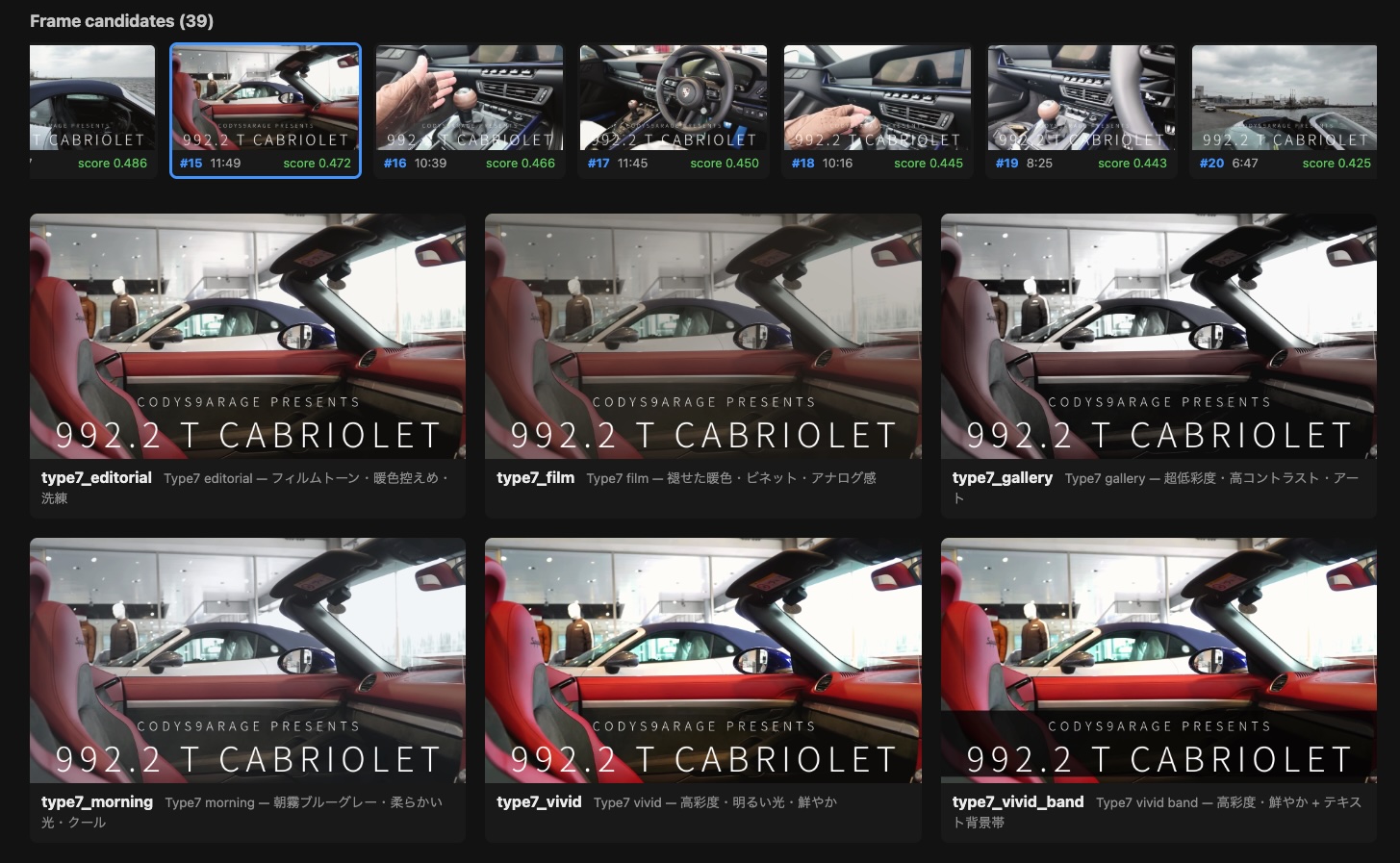
Give it a video file or YouTube URL, and it automatically picks the best frames for thumbnails. Apply a style preset, and you’ve got a polished thumbnail ready to go.
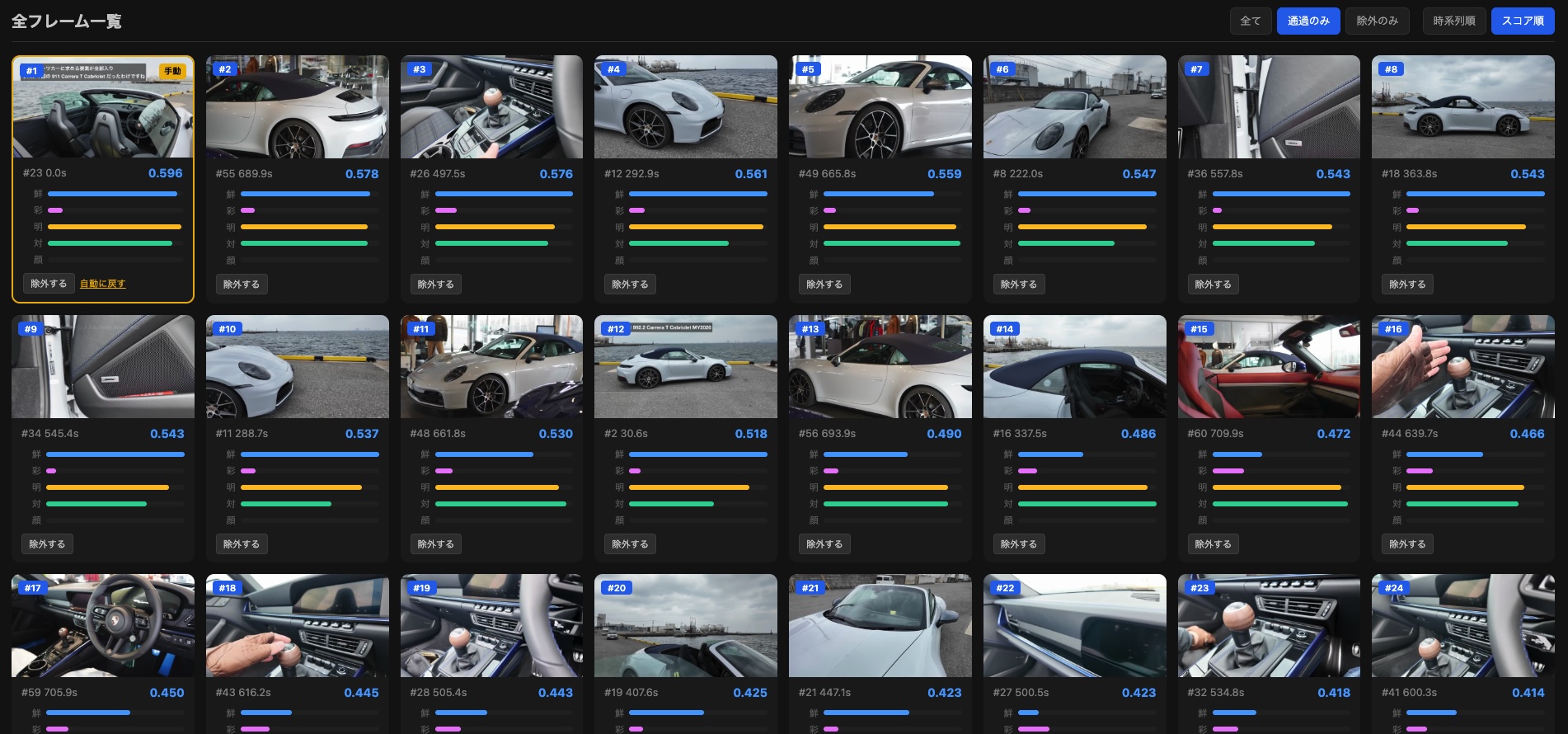
There’s also a Web UI where you can drag and drop a video to preview every frame combined with every style at once.
Tech Stack
- Python 3.11+
- ffmpeg — Frame extraction from videos
- EasyOCR — Filters out frames with too much on-screen text
- Pydantic — Data models
- Click — CLI
How Frame Selection Works
Instead of grabbing random frames, the tool uses a multi-step process:
- Scene detection — Detects scene changes in the video to determine sampling points
- Scoring — Evaluates each frame for thumbnail suitability
- Text detection filter — Uses EasyOCR to exclude frames with heavy text overlays (subtitles and captions make for bad thumbnails)
Results are cached, so regenerating with a different style is fast.
Style Presets
Four built-in styles are included:
| Style | Look |
|---|---|
type7_editorial | Film tones, warm but restrained, polished |
type7_film | Faded warm colors, vignette, analog feel |
type7_morning | Misty blue-gray, soft light, cool |
type7_gallery | Ultra-low saturation, high contrast, art-house |
Here are some actual thumbnails generated by the tool:
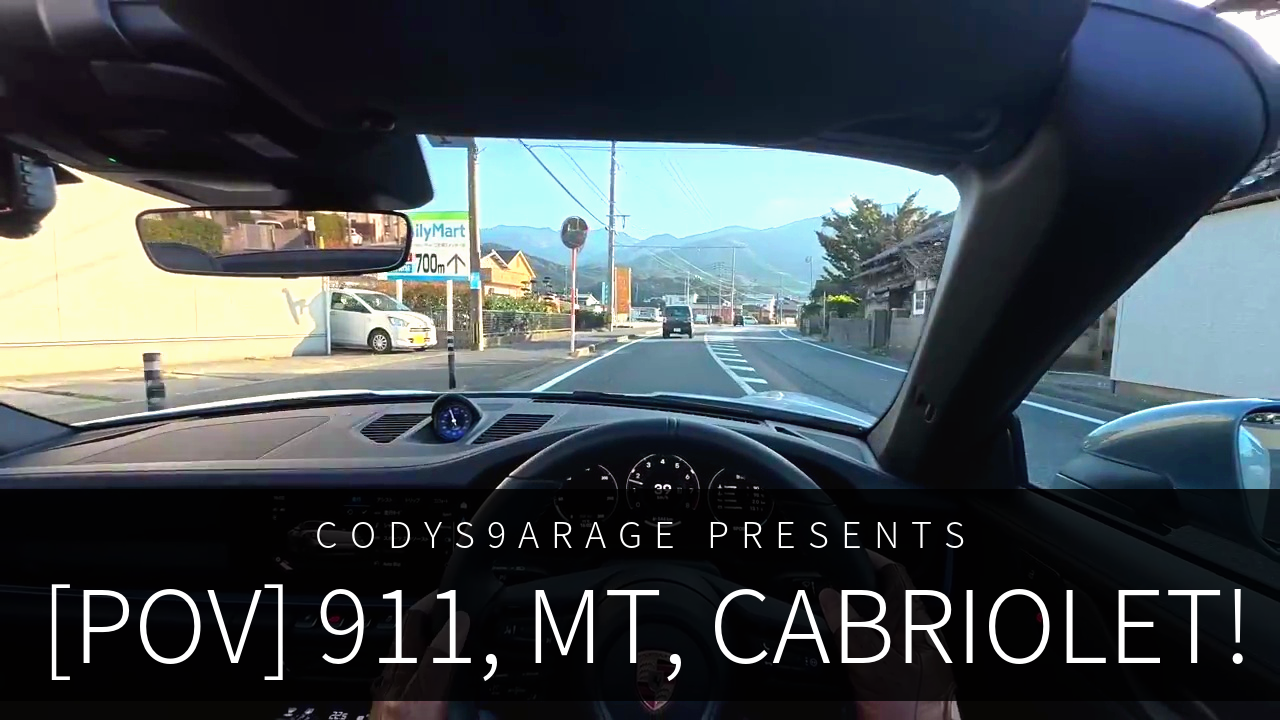

By the way, anyone catch what “type7” is a reference to? Porsche fans might get it. ;)
You can also create custom styles with TOML files. Image effects (darken, vignette, blur, etc.), text placement, fonts, and colors are all configurable.
Why I Built This
Most existing thumbnail tools are template-based — you manually drop in an image and add text. What I wanted was automatic selection of the best frame from the video itself. The ability to filter out frames with text overlays was especially important to me, since subtitle-heavy frames make terrible thumbnails.
If there’s enough interest, I’m considering making this available as a public service. If that sounds useful to you, feel free to hit the heart button.
Thanks for reading today.